Nostr Wallet Connect (NWC): How It Works and 5 Use Cases

This article was translated from Japanese with AI. Read the original (日本語) · Report a translation issue
Have you ever found sending a Lightning payment a bit of a hassle?
When you send a payment, you have to go through the following steps:
- Request an invoice
- Copy the invoice
- Open your wallet and paste the invoice or scan its QR code
- Press the Send button
- Check in your wallet or on the recipient's site that the payment went through
The Lightning Network is more convenient than on-chain transfers in terms of speed and fees, but as a payment experience, having to switch away from the merchant's site or app and "reopen your wallet" is still a bit of a chore.
This article gives an overview of NWC (Nostr Wallet Connect), a protocol that lets apps connect seamlessly to your wallet and send payments, and introduces five ways it is being used. NWC even makes it possible to run monthly subscriptions in bitcoin.
What is NWC (Nostr Wallet Connect)?
NWC (Nostr Wallet Connect) is an open source protocol defined in NIP-47 that specifies how apps communicate with a wallet in order to connect to it.
With NWC, you can pay over Lightning right inside an app without switching to (opening) your wallet. It has been compared to a "USB-C" port linking Lightning wallets and apps. Besides improving the user experience, it means app developers no longer need to build a wallet and can focus on building their app.
Nostr Wallet Connect
An open protocol to connect bitcoin wallets to apps

As the name suggests, NWC is built on an open source foundation called Nostr, but users don't need any technical knowledge of Nostr to use it.
💡
For readers unfamiliar with Nostr, here is a quick primer. Nostr stands for "Notes and Other Stuff Transmitted over Relays": it is a protocol for sending messages and all sorts of other data through servers called relays. With this protocol, you can build things like social networks that have no central administrator.
If you want to learn more about Nostr, see our earlier article below.
分散SNSとしてのNostr
要旨 ・Nostrの分散性の源泉はクライアントが複数のリレーに接続できる仕組みと、プロトコル自体がオープンソースなため誰でもクライアントやリレーを作れることにある。 ・ライトニングネットワークの統合によって既存の決済手段の統合ではシームレスに実現することが難しかったグローバルな投げ銭が実現されており、ライトニングネットワークとのシナジーが大きい。 ・分散SNSとしての強みはオープンソースのプロトコルのシンプルさから開発者が参入しやすいところにあるが、冗長性(おもに通信量)と分散性がトレードオフの関係にあるため分散性が犠牲にされやすいという弱点もある。 ・現時点では通信量やスパムに起因するUXの問題を改善する有料リレーやフィルター機能などがNostrに関連したビジネスとして成り立っている模様である。 本稿で初めてNostrを紹介したのは昨年12月のこと。Twitterから競合として名指しされてから、ユーザー数が一気に数百人程度から数万~数十万人へと拡大したタイミングでした。 その後も順調に利用者が定着しており、最近ではDamusというクライアントアプリがライトニン
 加藤 規新

How NWC works
Let's walk through how a Lightning payment flows when NWC is used.
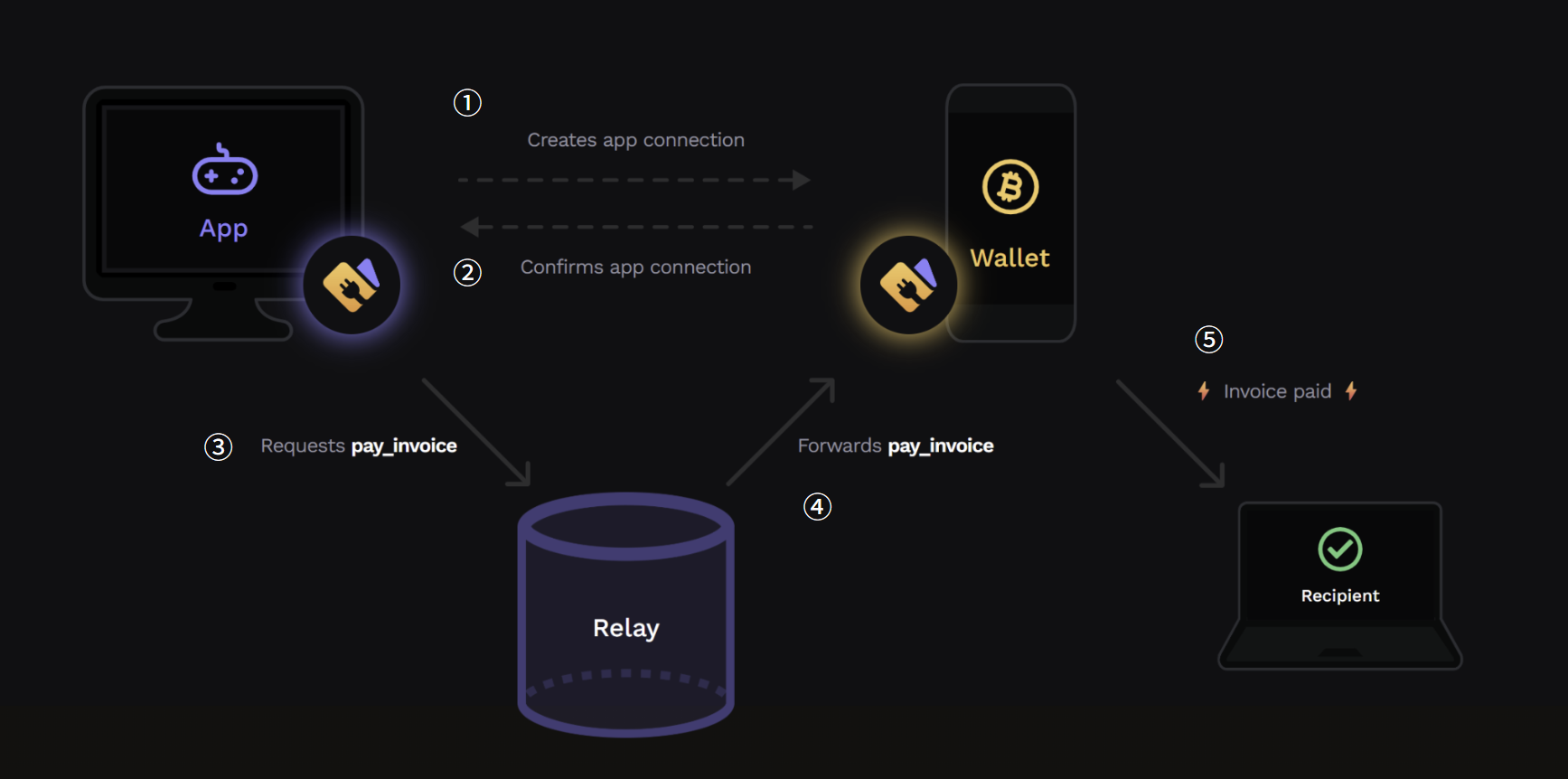
① Setting up NWC: the app scans a QR code generated by the wallet, or the connection details are entered manually
② The wallet approves the connection to the app
③ Sending the invoice: the app creates an encrypted payment request and sends it to a Nostr relay
④ The relay forwards the payment request to the wallet
⑤ Payment: the wallet decrypts the request, verifies it, and then executes the payment
You only need to connect the app and wallet (via NWC) once. After that, you can make Lightning payments in the app hassle-free, within the budget you've set.
Three key features of NWC
Next, here are three features worth knowing to understand NWC better.
① A unified UI regardless of wallet
First, because the NWC protocol provides a consistent set of commands for handling Lightning within apps, apps don't have to be built around each wallet's implementation. For users, this means that whether you use a custodial wallet, a non-custodial wallet or your own Lightning node, you can operate your wallet from within the app through a consistent UI (provided the wallet supports NWC).
② Non-custodial security design
Second, the app's security design is non-custodial. From a UX standpoint you are sending and receiving over Lightning inside the app, but your bitcoin stays in your own wallet the whole time, so even if the app acts maliciously or gets hacked, there is no risk of losing your bitcoin.
③ Per-use spending limits
Third, much like splitting bank accounts by purpose and giving each a budget, you can set a separate cap on bitcoin spending for each use. This works as a safeguard against spending more than you intended, for example with automatic payments.
Five ways NWC is being used
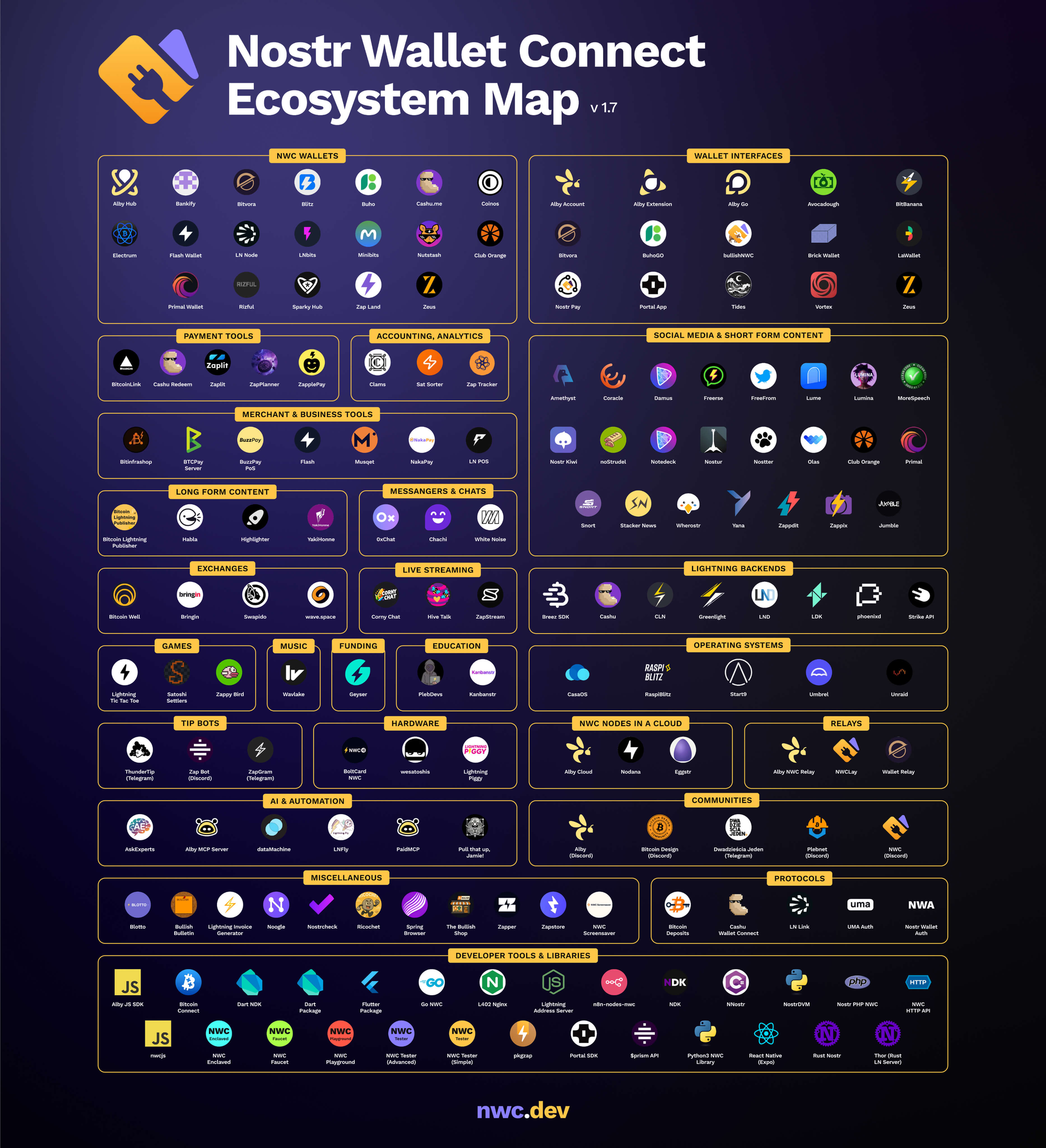
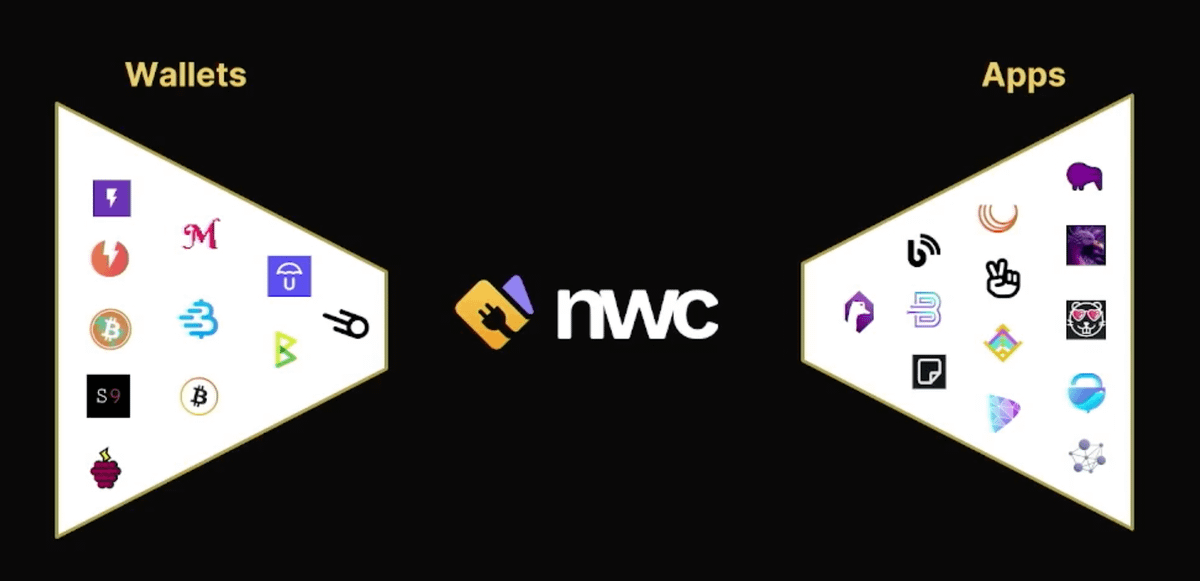
So what are the real-world use cases for NWC? The image above maps out services that support NWC, so use it as a reference when you try it out. In this article, we pick out five examples.
1: Tipping
Nostr has its own culture around something called a "zap," which replaces the "like" of traditional social networks with a bitcoin payment. Zaps are defined in NIP-57, and they let users tip posters in bitcoin, reward valuable content and pay for services in real time.
Sending bitcoin instead of a like may sound a little odd, but what makes zaps groundbreaking is that you can casually send as little as 1 sat (one hundred-millionth of 1 BTC). PayPal and credit cards are ill-suited to micropayments because of their fees, but zaps let you send small amounts instantly.
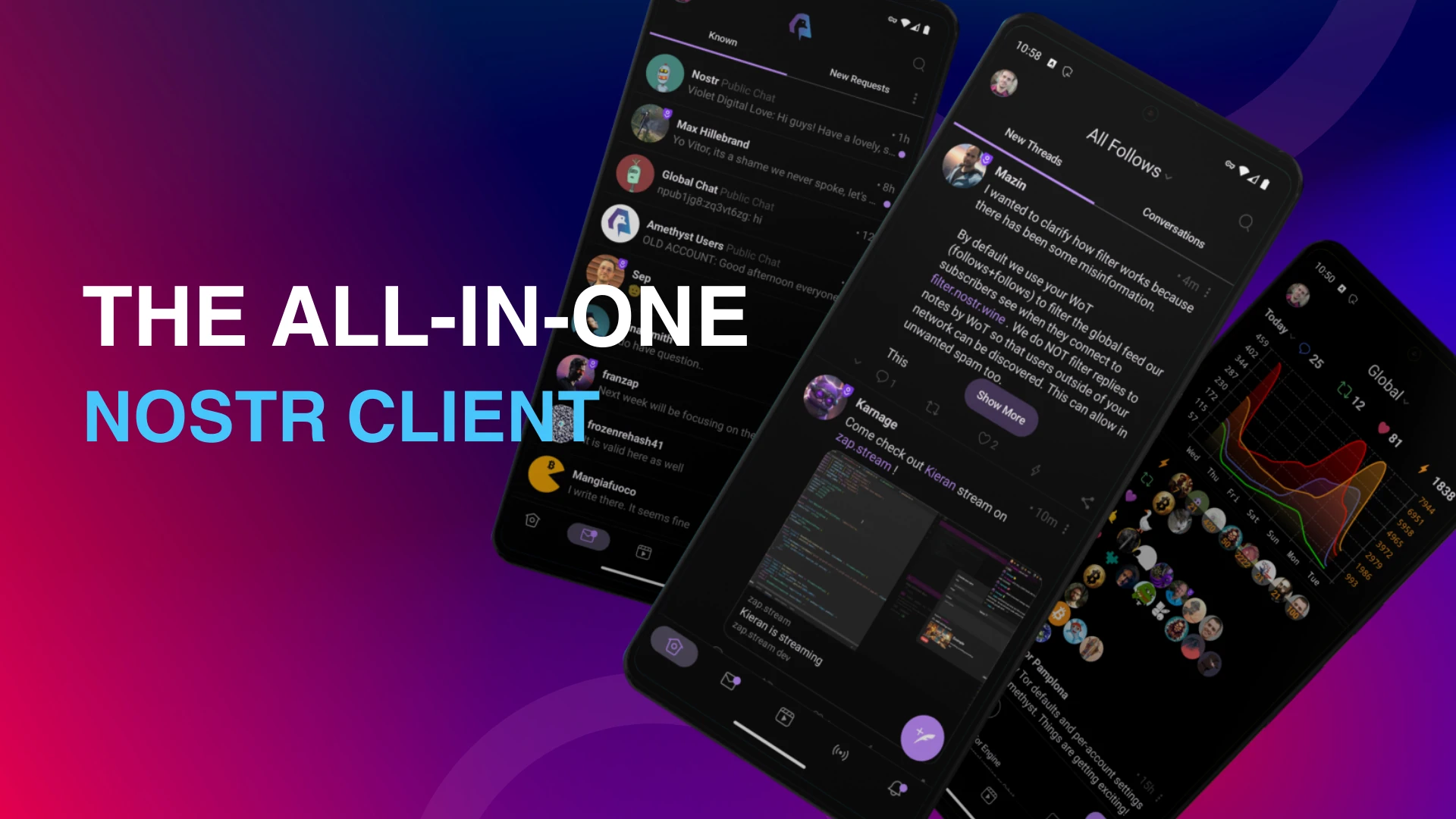
You can try Nostr-based social networking with Damus on iOS and Amethyst on Android, so why not use the links below to step into the world of Nostr?
Damus
A new social network that you control

Amethyst - Nostr Client for Android
Join the social network you control. The most feature-rich Nostr client for Android.
2: Marketplaces
Traditional marketplace services such as Uber and flea-market apps make money by brokering transactions between users and taking a cut as a fee. But this model places a heavy burden on everyone involved.
Specifically:
- Burden on sellers: high fees to payment processors, delayed payouts and chargeback risk
- Burden on operators: contracting, integrating and operating with payment processors, plus regulatory compliance from temporarily holding funds
- Burden on buyers: fees on international payments and the risk of payment information leaking
and so on.
As mentioned in the key features, NWC enables a "non-custodial" (no holding of funds) architecture. It removes the need to hold users' funds: the wallet handles the money, and the app simply executes actions securely. The moment a payment goes through, the operator can automatically withdraw its share (the fee) from the buyer's wallet, within the permissions the user granted in advance.
NWC's design brings the following benefits:
- Benefits for sellers: instant arrival of funds, no chargebacks and savings on credit card fees
- Benefits for operators: a lighter regulatory burden since they don't hold funds (confirm the rules in each jurisdiction)
- Benefits for buyers: no need to hand over credit card details, and instant cross-border payments
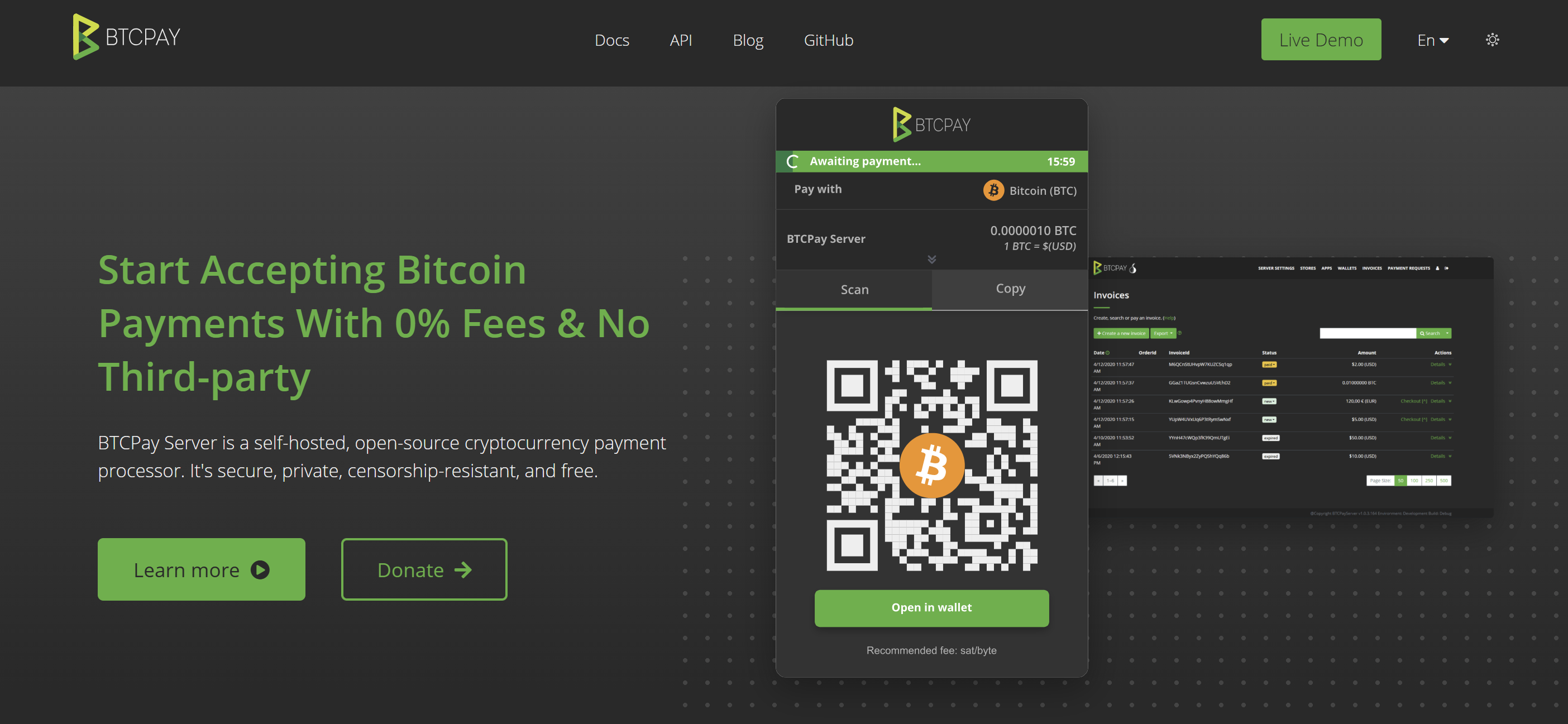
If you want to add NWC to an e-commerce site as part of its existing payment system, the Nostr plugin for BTCPay Server supports NIP-47 (NWC), letting you receive payments directly into your company's own Lightning wallet.
3: Subscriptions
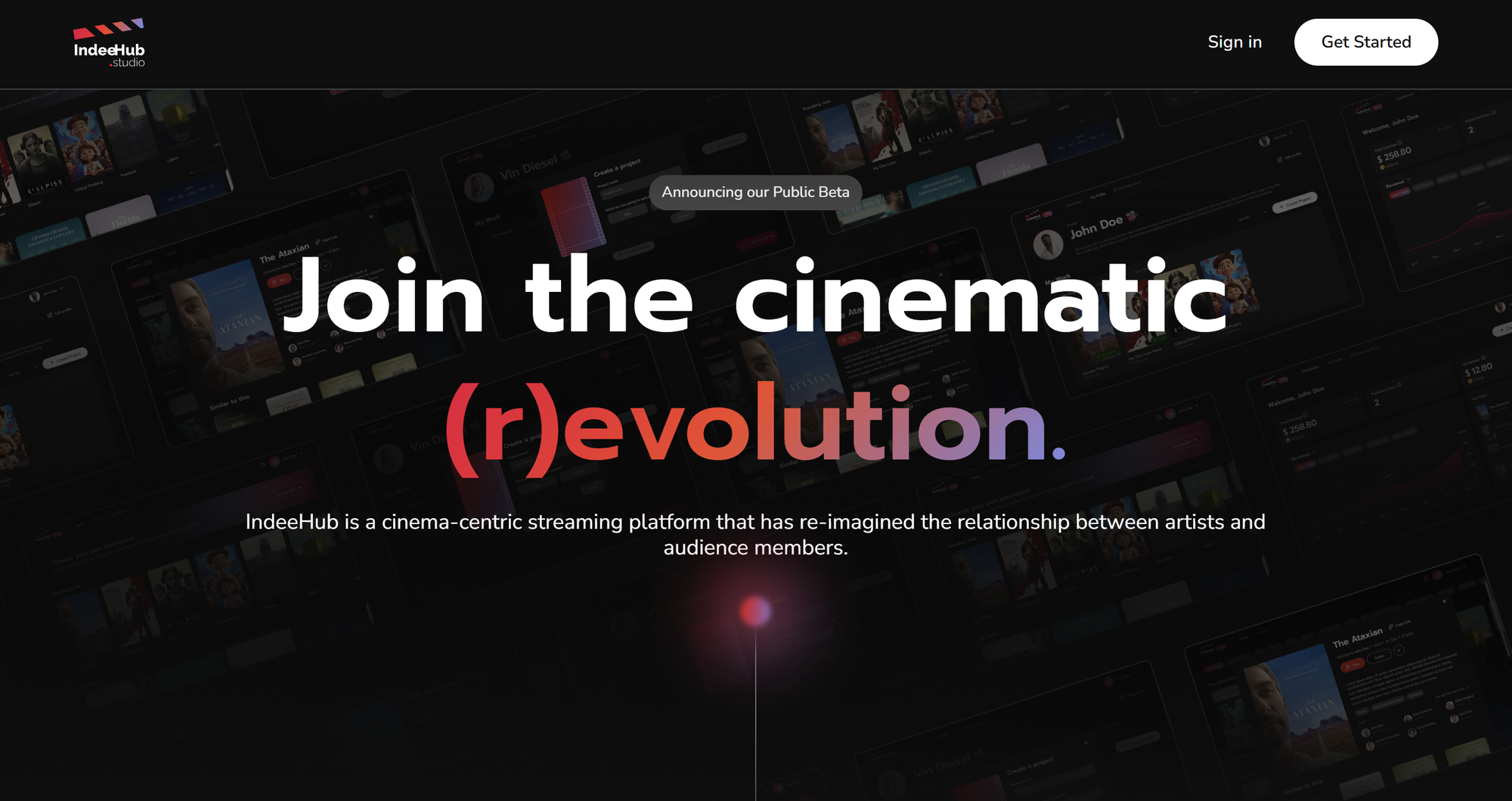
By setting a clear budget cap, users can grant an app limited access to their wallet. Using that permission, the app can request recurring charges from the user's wallet, such as monthly ones. In other words, subscription billing becomes possible.
Because Bitcoin is fundamentally "push"-based, with the payer sending the funds, it has long been considered a poor fit for "pull" payments like subscriptions. NWC solves this with a permission delegation system that lets users cap both the amount and the frequency of charges.
In fact, services such as the video streaming platform IndeeHub Studio already offer bitcoin subscriptions powered by NWC.
4: AI agents
Traditional payment systems don't work for AI. Credit cards and bank accounts are designed on the assumption of "a human with an ID," while AI agents have no identity, no bank account and no legal status. By contrast, Bitcoin's permissionless design and Lightning's speed could make Bitcoin the only practical payment layer for autonomous software.
Let's consider what happens when you combine NWC with MCP.
MCP (Model Context Protocol): a standard protocol for securely integrating external tools with LLMs such as Claude
Through the Alby MCP Server, which connects the two, AI tools such as Claude, Cursor and n8n can autonomously send and receive payments and look up transactions.
For further reading, see our earlier article examining which currency AI agents might choose.
自律型AIはどの通貨を選ぶのか?AIの貨幣条件とビットコインの可能性
自律型AIはどの通貨を選ぶのか。利用条件と性能条件からAIに適した貨幣の要件を整理し、自己主権性の観点からビットコインの可能性を考察します。
守屋 彰眞
5: Game rewards

Games built on bitcoin have long suffered from structural inconvenience. With Lightning, an invoice has to be generated and copied for every payment, and users have to manually approve or request each payment one at a time. On top of that, in-game payments tend to be relatively small, so the sheer number of transfers is another drawback.
NWC solves these problems. Through Bitcoin-Connect (a connection library combining NWC and WebLN), games can draw bitcoin in real time. Invoices are generated and paid automatically behind the scenes, and small payments (in units of 1 sat = one hundred-millionth of 1 BTC) happen without you even noticing.
For example, do you know Flappy Bird, the game that became a worldwide hit? It's a simple game where a flapping bird squeezes through gaps between pipes. A modified version called "Zappy Bird" has actually been released. It uses a pay-to-play model where each jump costs 1 sat, and the player with the high score reportedly receives all the bitcoin accumulated from the other players. The controls take some getting used to, so we recommend practicing on Flappy Bird first and only playing if you're confident in your skills.
Zappy Bird
Zappy Bird is an arcade-style game in which the player controls the bird Faby, which moves persistently to the right. The player is tasked with navigating Faby through pairs of pipes that have equally sized gaps placed at random heights.
 Roland
Summary: NWC connects Lightning wallets and apps
NWC (Nostr Wallet Connect) is a protocol that acts like a "USB-C" port connecting Lightning wallets and apps. Set it up once, and you get seamless Lightning payments without switching apps.
Its key features are a UI that doesn't depend on the wallet's implementation, a non-custodial design on the app side, and per-use budget caps.
Its uses are wide-ranging: tipping (zaps), marketplaces, subscriptions, AI agents and game rewards. Subscriptions and AI agents in particular break through Bitcoin's traditional limits of "push payments only" and "payment systems built for humans."
NWC is still a protocol in development, but the number of services supporting it is growing steadily, and it may prove to be a big step toward using bitcoin as an everyday means of payment.